At Affidea, we make the process of scheduling your scan as simple as possible. Follow these steps to submit your referral and get your appointment booked quickly:
Get your Referral Letter by visiting a GP/Consultant for the required scan.
Take a clear picture or scan the full letter and submit it using the online form or by emailing us at: appointments@affidea.com.
Once our highly trained radiologist has reviewed our document, we will contact you directly by phone to confirm your preferred centre, few safety questions, select time slot & insurance details or manage payment.

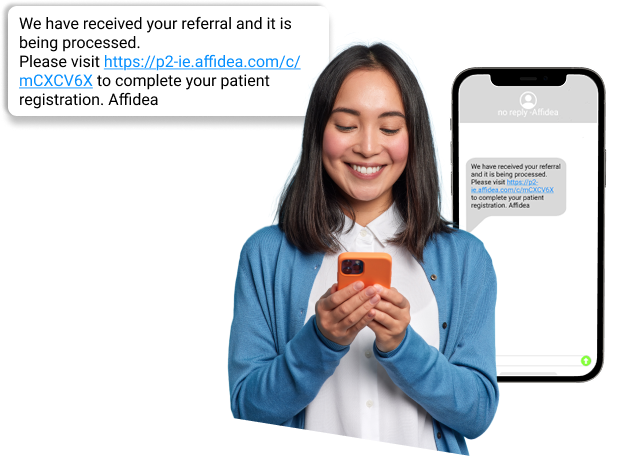
If your referral letter has already been processed and you have received text message with a booking link, you can complete the following steps to book your appointment online.
Once on the portal, log in using your credentials. Authentication is connected to the appointment itself, not the patient’s personal details, which helps avoid issues with duplicate patient records.
On your first login, you will be prompted to confirm or update your email address & Address.
Select your preferred payment: Private Insurance or Self-Pay.
Check your referrers details and update if necessary.
Answer the required questions. Any unanswered or flagged questions may prevent you from proceeding with the booking.
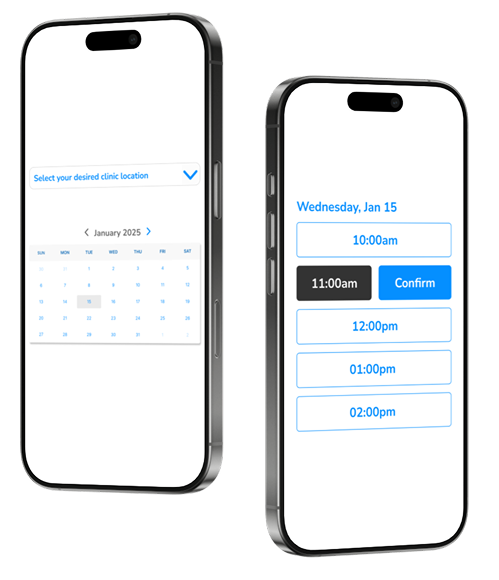
- Choose your desired Clinic
- When a slot in the preferred clinic is available, a schedule will appear when a fitting time can be chosen.
- Clicking on the slot will bring up the secondary menu, where the actual time can be picked.
However, if no available slot is found within the next 40 days, the system will inform you. Using the arrow buttons (←,→), you can also go further than 40 days. To go to alternative locations, Click on the “SHOW ALTERNATIVE LOCATIONS”.
After booking the time, a summary screen will appear with all the details summarized